New Sidebar From Update v11.0 (07/29/2025)
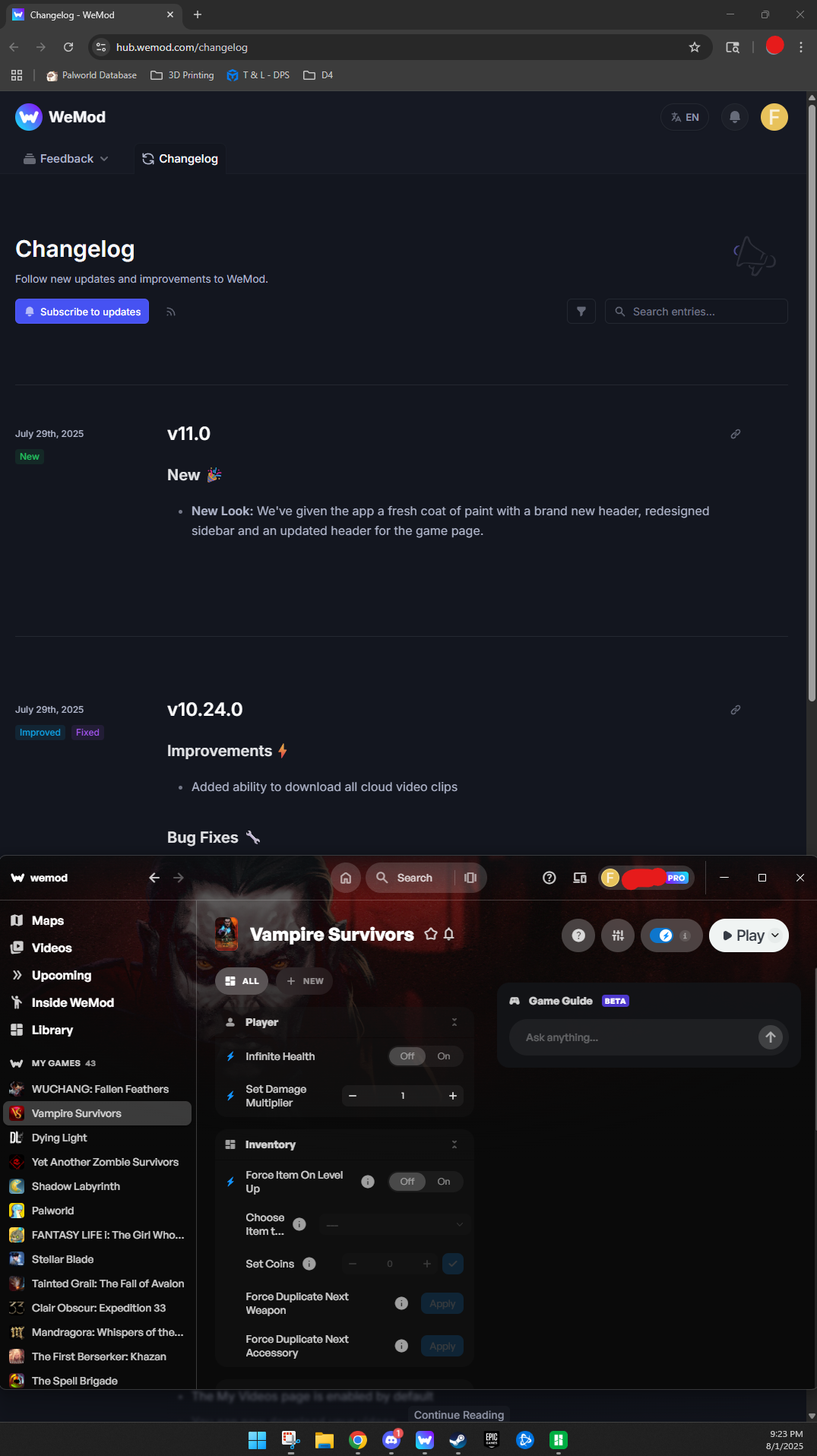
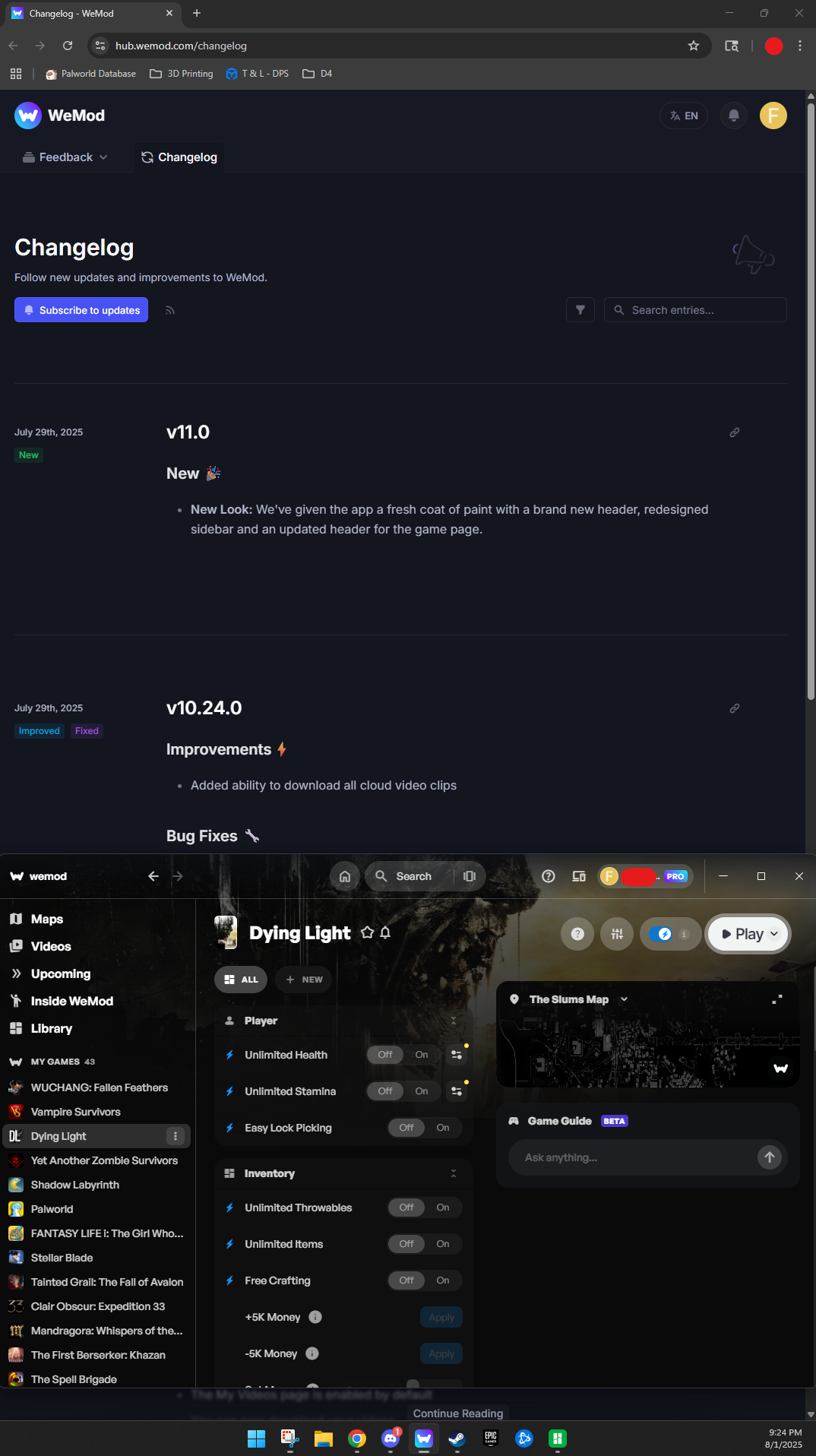
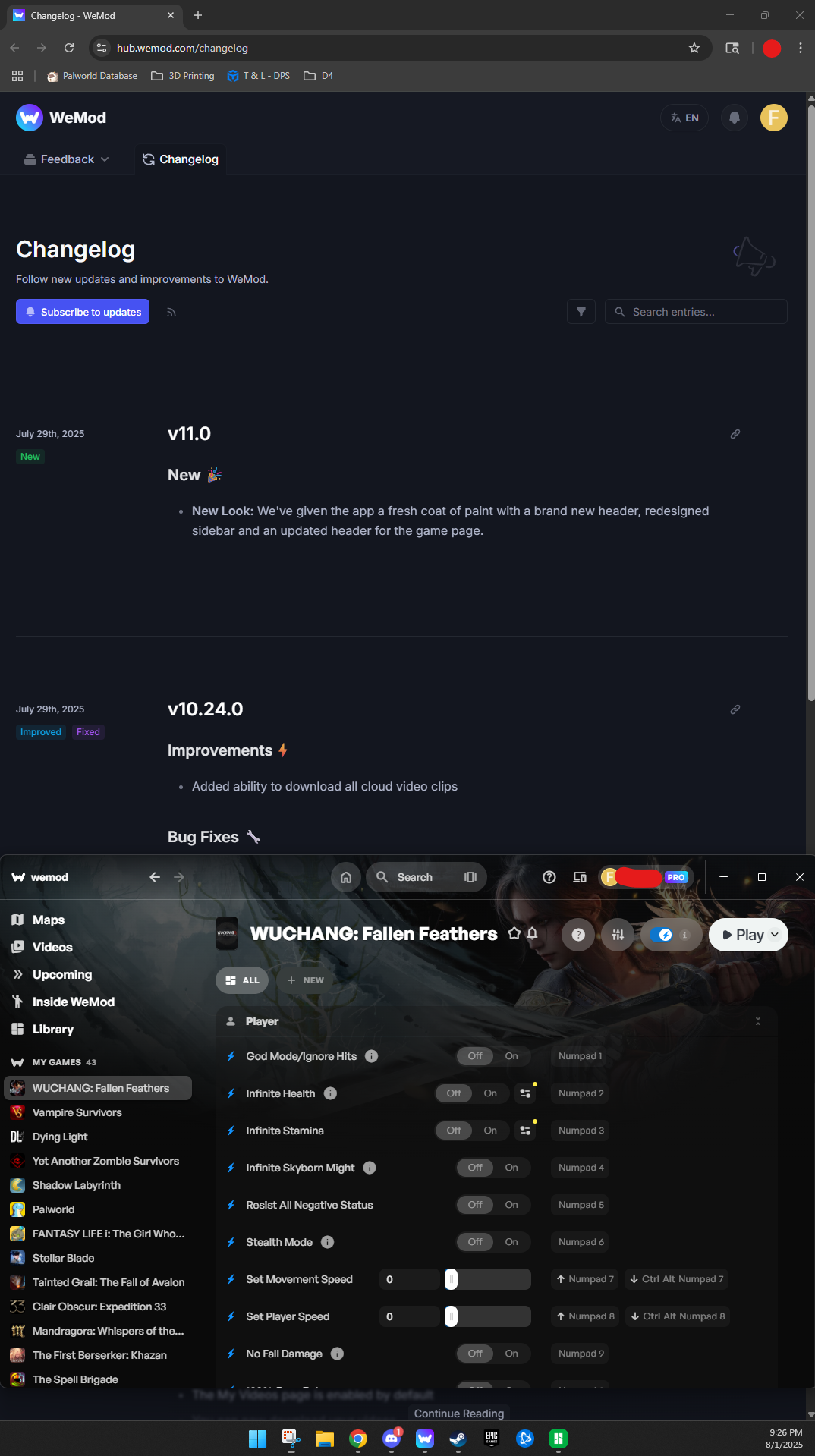
Can you add the ability to minimize the left sidebar again please? I keep WeMod open on my second monitor, which is in Portrait orientation instead of Landscape. Due to the new sidebar that can’t be minimized like the old one, the hotkeys no longer show for games that have options on the right side of the UI like “Maps” or “Game Guides”. See attached screenshots for examples of what I mean.
Game Guides on right side
Maps and Game Guides on right side
Game with nothing on right side
Log in to comment and vote
Comments8
DigitalMachine3204
Oct 31
any update on this?
Antiparras
Oct 23
Is there a possibility to boost this request?
Trainzman
Oct 18
Same with the game guide on the right as once opened cannot close it
Gladys-Wand
Oct 19
Hey, noted! Could you also record a video of the Game Guide issue where it can’t be closed and send it along with the details to support@wand.com so the team can investigate both issues together? Thank you!
micromax_bg
Aug 25
will be really useful if I can hide the sidebar (those with the games list). I am using the app in my second vertical screen and it is using too much screen estate because of the always visible sidebar in the left when there is a map view open
Antiparras
Apr 28
Any updates on this? I’m in the same case as everybody in this conversation. After running the mods, the left sidebar with the games’ list becomes useless. It shouldn’t be that difficult to add a button to hide / unhide.
cresano1
Sep 22, 2025
Seriously, this is the same issue I’m having as well. I keep it open on my vertical monitor and since we can no longer collapse sections, the options list is scrunched up.
ever-reve
Sep 7, 2025
I’m so glad someone else mentioned this. I like the overlay, but this has been my layout from the beginning and it helps me remember to shut down the program for online games that freak out when it’s open. What ever new update to the ui has made the ui scrunch up things even with the game guides closed.